Photography General - Sperging about taking pictures and shit

  • 🏰 The Fediverse is up. If you know, you know.
  • Want to keep track of this thread?
    Accounts can bookmark posts, watch threads for updates, and jump back to where you stopped reading.
    Create account
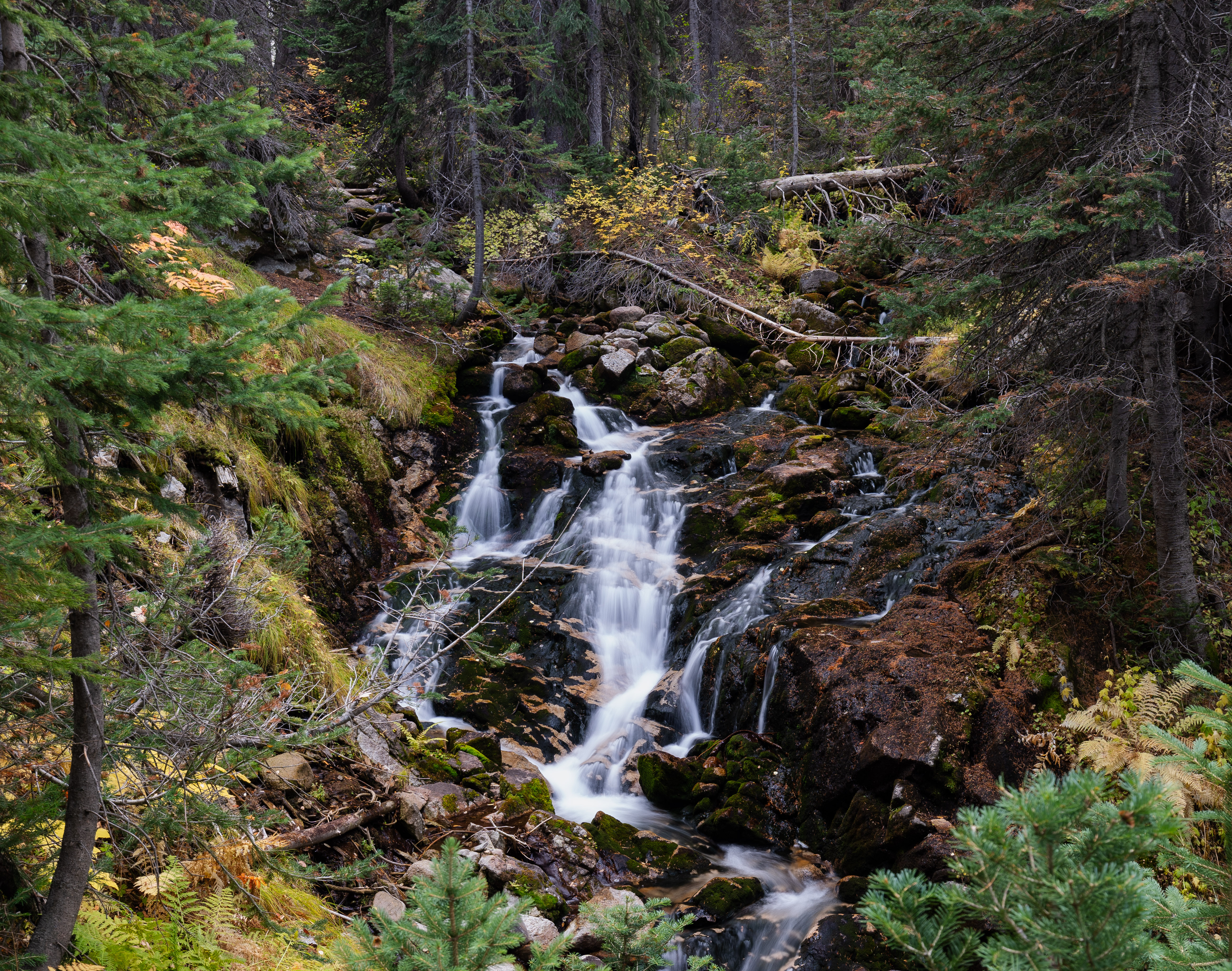
Almost forgot here's some photos from fall '21.
DSC08145-HDR.jpg 0344259_0344259-R2-E045.jpg
DSC08042.jpg DSC08070.jpg
 
I’ve fuckin loved photography ever since I was young. I may be blind and missed it but I’m surprised no one’s mentioned medium format TLR’s and infrared photography, my preferred way to shoot.

I have a simple Yashica D TLR 80mm3.5 with the three element lens, which I stick a Hoya R72 on the front of and feed it some of Rollie’s 120 infrared film in. Made me fall in love with infrared photography and it’s my preferred way to shoot black and white analogue. I’ll post some pics when I’m not on mobile and can make sure I don’t fuck up thumbnails and piss anybody off.

I also managed to cop a Nikon F2 Photomik kit with a 50mm f2, 35mm f2.8, 200mm f4, and 105mm f2.5 along with hoods and a leather Nikon saddle bag case (and a couple of prisms) all in good condition for like a hundred and fifty bones somewhat recently.

As far as digital goes I have a 6dD MkII that came with their nifty fifty; it’s a wonderful lens for the price and definitely versatile. Picked up Canons older 18mm fisheye for taking photos of my skater buddies and a 100mm f2.8 Macro lens for some macro product shots.

As for photographers I rather enjoyed Finding Vivian Maier and picked up her posthumous Self-Portraits book, I like it a lot and it’s a quality book. There’s another photographer whose name escapes me at the moment. He was based out of Chicago and would take interesting photos of his hand holding up a photograph of something he took and place it back into the scene and retake the photo. I have a wack way of describing it; imagine taking a photo of the Eiffel Tower, then holding that picture up to cover up the real Eiffel Tower and taking the photo again.

Edit:

10.jpg
9.jpg

11.jpg

12.jpg

18.jpg

20.jpg

2.jpg
 
Last edited:
I recently went to the George Eastman Museum of Kodak Eastman fame and I got the bug to shoot again. I dug out the old Pentax K1000 I had from high school film class and I'm looking to get back into it.

Anyone have any recommendations for where to buy 35mm film and have it developed?
 
After several years of delay, I'll try my hand at transcribing the old development formulas from my handful of mid-late 20th century books over the coming weekend. Most of the formulas are already recorded in the Digital Truth Photo webpage, they even seem to have an app with it, so it'll just be any modified formulas or anything I couldn't find recorded online.
 
Why does HDR seem to make pictures so fucking ugly? Why is everything I shoot on my phone so fucking desaturated? It's like cameras have built-in dramatic effect filters you can't turn off, physically baked into the cameras.

I want natural autumn colors, natural people flesh tones, I don't want content creator desaturation or whatever.

I never ended up getting a real camera but the pictures I see from the Sony EV-ZV10 also have epic tiktok desturation on it.
 
I never ended up getting a real camera but the pictures I see from the Sony EV-ZV10 also have epic tiktok desturation on it.
What phone do you have? There's an app for the (fuck you tim apple I said THE) iPhone at least that removes ALL CPU processing (and the images look like shit).

https://halide.cam is one of them, I presume they exist for others.

There are also apps that let you tune down the image fuckery.

It's the BOSE of the camera world - the camera doesn't see anything like what you see so they've cranked up "post-processing", called it AI, and made it look like what the goysloppers want.

Fun pro-tip I got from an actual pro - hold your phone upside down when taking pictures of people, the lens angle makes them look better.
 
Why does HDR seem to make pictures so fucking ugly? Why is everything I shoot on my phone so fucking desaturated? It's like cameras have built-in dramatic effect filters you can't turn off, physically baked into the cameras.

I want natural autumn colors, natural people flesh tones, I don't want content creator desaturation or whatever.

I never ended up getting a real camera but the pictures I see from the Sony EV-ZV10 also have epic tiktok desturation on it.
Thanks for the referral to this thread in MATI!

I have never ever used HDR because it is basically the same thing as bloom, which both do the same thing (cover up the actual image with post-processing). HDR can be nice if you are taking pictures that have both very bright and very dark liggting areas you want to both capture. But an overcast fall day does not count as that.
Do you have a tripod or some way to hold the camera motionless for a couple seconds?
A trick I learned is that you can get some nice colors if you bring the digital exposure comp as low as it will go and fiddle with increasing the ISO until you get a good result.

(My suggestion, do not use HDR, play with exposure and ISO)

I'm more into macro/astro photography though, but I can play around with my old midrange camera some more and get back to you.
 
Why does HDR seem to make pictures so fucking ugly? Why is everything I shoot on my phone so fucking desaturated? It's like cameras have built-in dramatic effect filters you can't turn off, physically baked into the cameras.

I want natural autumn colors, natural people flesh tones, I don't want content creator desaturation or whatever.

I never ended up getting a real camera but the pictures I see from the Sony EV-ZV10 also have epic tiktok desturation on it.

I haven't used newer versions (I just went to GIMP, I know you don't like) but there should be an option to add a 'channel curve' or 'rgb curve' layer, as well as a general saturation curve layer.

Think of the RGB one as 'advanced' and the saturation curve as 'basic', using them as layer FX lets you preserve the original image and tweak/make revisions easier.

For saturation you want to use the selector to pick the 'black point' and 'white point' and then use the slider to adjust the middle until it looks correct.

For RGB curves you have to manipulate each channel (color) across the correct range (light/dark) by adding points to the curve and manipulating it.

Also remember your monitor is a variable here. ... and also make sure that your color space isn't set to something stupid.
 
Also remember your monitor is a variable here. ... and also make sure that your color space isn't set to something stupid.
I have a pixel and I notice when I take the photo, it looks fine. When I go to save it or share it, the image is desaturated. I have tried fucking with every single option and literally I get better photos screenshotting the preview.
 
I have a pixel and I notice when I take the photo, it looks fine. When I go to save it or share it, the image is desaturated. I have tried fucking with every single option and literally I get better photos screenshotting the preview.

I just know not all monitors support HDR (including my widescreen) and that color autists actually get their monitors calibrated (or have devices for doing so)... it's practically a disclaimer I have to add.

As far as color spaces go I think you can pick the color space on import into PS. I would just try the matching color space for your phone and then try converting to a common photo space like Adobe RGB or sRGB to eliminate that variable. It does seem pixel uses a different color space:

In terms of color space, Pixel devices typically utilize:

  1. Wide Color Gamut (WCG): The devices support color spaces like DCI-P3, which provides a broader range of colors compared to standard sRGB.
  2. HDR10: This is a common HDR format that Pixel devices support, allowing for higher peak brightness and improved contrast.
  3. Rec. 2020 (BT.2020): Some models may support this color space, which offers an even wider color gamut than DCI-P3.

Also it occurs to me that it could be cloud bullshit/compression? Maybe use windows phonelink or connect the phone like a drive and see if that makes a difference?

Edit: You could also try taking .raw files and exporting those (IIRC you pretty much have to set your saturation manually when you deal with raws though, or at least that is the point of having them)
 
Last edited:
It's like cameras have built-in dramatic effect filters you can't turn off, physically baked into the cameras.

Does your phone support RAW format?

You said you have a Pixel, if your phone supports RAW you should be able to turn it on in the advance settings of your camera app.

RAW format captures images with no compression or post processing. It should produce the exact image the sensor captures without any changes.
 
Does your phone support RAW format?

You said you have a Pixel, if your phone supports RAW you should be able to turn it on in the advance settings of your camera app.

RAW format captures images with no compression or post processing. It should produce the exact image the sensor captures without any changes.
When I import the RAW into Krita it is like I shot it at night during a lunar eclipse without man-made lighting in 10,000 miles from me. Nothing I change makes it better.

edit: bro I'm so bitter, I'm playing with the raw file and changing every slider and it's just like, "this is not what I saw".
 
Last edited:
I have a pixel and I notice when I take the photo, it looks fine. When I go to save it or share it, the image is desaturated. I have tried fucking with every single option and literally I get better photos screenshotting the preview.
Cameras (and editing software) are dumb and don't know what they're looking at. A picture of a beautiful sunset or ugly tungsten lights get treated the same where the camera balances the color more towards neutral. The camera always aims for a neutral exposure/color.
HDR tries to remove any completely black or white parts of the photo ("clipping") because it doesn't understand that something should be black or white. HDR kills contrast and makes unnatural colors. HDR does make it better when editing later because it has more info in those spots.
You phone may have a "pro" mode that gives more control over exposure, color, and HDR. There are other cameras apps you can download too (I don't know about these, I have a real camera, but others here might).
 
I have a pixel and I notice when I take the photo, it looks fine. When I go to save it or share it, the image is desaturated. I have tried fucking with every single option and literally I get better photos screenshotting the preview.
Do you use Graphene on your Pixel? If so, did you swap back to the Google Camera app? I know my photos looked like turds with the Graohene camera app.
 
When I import the RAW into Krita it is like I shot it at night during a lunar eclipse without man-made lighting in 10,000 miles from me. Nothing I change makes it better.

edit: bro I'm so bitter, I'm playing with the raw file and changing every slider and it's just like, "this is not what I saw".
A camera and your eyes will never match, you can get the same feeling of what you saw, but that's a whole "skill" to learn if you want to nail it. So unless you want to spend time learning photography and color grading, get this idea of 1-to-1 out of your head.

But I can tell why you are MATI, you are using Krita for RAW format... that's pretty much a mental self-harm.
You need a dedicated photo software if you want this to be less painful to learn or to just fix colors without messing up too much. I would recommend RawTherapee or Darktable for RAW images. In these softwares, you can edit the "saturation" for each color to taste.

If this is a phone shot, at night... I don't think you can save it, but I will write a short guide if you decide to try this.
  1. Look at the histogram, and drag the exposure so it's around the middle of the histogram.
  2. Desaturate it 100% or set the vibrance to zero (make the image "black and white") and set the contrast.
  3. Set vibrance/saturation back to normal
  4. Set the individual colors to your taste.
I hope that the RAW image isn't too under exposed, just because it's a RAW image doesn't mean it can be "fixed" in post. RAW often means "room for some mistakes", not "click and fix everything later".
 
Last edited:
it is like I shot it at night during a lunar eclipse without man-made lighting in 10,000 miles from me. Nothing I change makes it better.

RAW images don't compress or filter the image in any way but they are still at the mercy of the mechanical settings of your camera.

Excessively dark images are usually due to underexposure. Are you adjusting the ISO, aperature, or shutter speed? If you change any of these settings you usually have to adjust the others so you don't end up under/over exposed.
 
Back
Top Bottom